
How to Track Employee Productivity Using Biometric Attendance Data
Tracking employee productivity has never been more important. Companies today face growing pressure to get the most out of their teams. At the same time, they want to be fair and transparent. Biometric attendance data offers a smart way to do both.
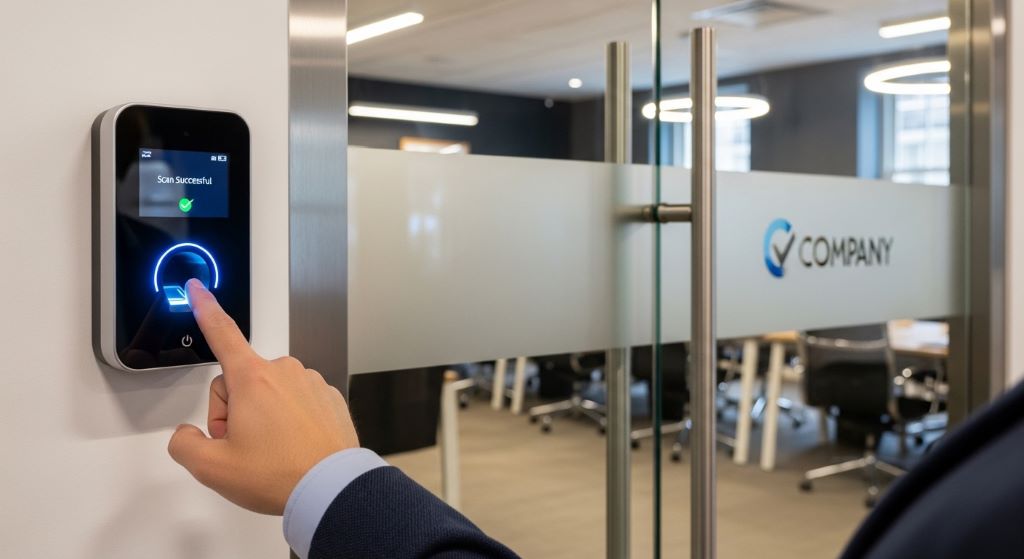
Biometric systems use physical traits — like fingerprints, facial recognition, or iris scans — to record when employees arrive and leave. When you combine this data with workforce analytics, you get a clear picture of how time is being spent. This helps managers make better decisions based on facts, not guesses.
In this article, we will walk you through how to use biometric attendance data to track productivity effectively, ethically, and efficiently.
What Is Biometric Attendance Data?
Biometric attendance data is information collected from employees’ unique physical features. These features confirm who a person is. Common biometric identifiers include fingerprints, face scans, retina scans, and hand geometry.
Traditional time tracking relied on punch cards or manual sign-ins. However, these methods were often inaccurate. Employees could sign in for each other, or forget to log their time. Biometric systems remove these issues entirely.
Therefore, biometric attendance data is considered highly reliable. It creates a precise digital record of when each employee starts and ends their workday. This data becomes the foundation for measuring productivity.
How Biometric Data Connects to Productivity Tracking
Attendance is just the starting point. When you know exactly when someone is at work, you can begin to measure what they accomplish during that time. This is where performance monitoring tools come in.
Performance monitoring tools combine attendance records with task completion data, project milestones, and output metrics. The result is a fuller view of how productive each employee truly is. Instead of just knowing someone was present, you can understand what they did during their hours at work.
Additionally, this approach helps managers spot trends. For example, they might notice that productivity drops on certain days or at certain times. With that knowledge, they can make changes to schedules, workloads, or processes.
Steps to Track Productivity Using Biometric Attendance Data
Following a clear process makes it easier to use biometric data well. Here are the key steps to get started.
Step 1: Choose the Right Biometric System
Not all biometric systems are the same. Some focus only on fingerprints. Others offer multiple options like face recognition or card scanning as a backup. Choose a system that fits your workplace and the number of employees you have.
Look for a system that integrates well with your existing software. The easier it is to connect the biometric device to your HR or payroll platform, the more useful the data will be.
Step 2: Integrate Attendance Data with Productivity Software
Once your biometric system is running, connect it to your productivity tools. Many companies use project management software or HR platforms that can receive attendance data automatically. This removes the need for manual data entry.
When attendance and task data live in the same place, it becomes much easier to see patterns. For instance, you can compare the hours an employee worked against the number of tasks they completed during that time.
Step 3: Set Clear Productivity Benchmarks
Before you can measure productivity, you need to define what it looks like. Work with team leads to set realistic benchmarks. These could be based on tasks completed per day, sales targets, or customer responses handled per hour.
Clear benchmarks give employees a goal to aim for. They also make it fair to compare performance across the team. Without benchmarks, attendance data alone tells only part of the story.
Step 4: Use Workforce Analytics to Interpret the Data
Raw data is not enough on its own. You need workforce analytics to turn numbers into insights. Analytics platforms can show you trends over time, highlight top performers, and flag attendance issues that might be hurting output.
For example, if an employee has perfect attendance but low output, that is a signal worth investigating. Perhaps they are dealing with a personal issue, or maybe they need more training. Workforce analytics helps you ask the right questions.
Step 5: Review and Act on the Insights
Data is only useful if you act on it. Schedule regular reviews with managers to go over the reports. Look for patterns that repeat week after week. Then decide what changes to make.
This might mean adjusting shift schedules, offering support to struggling employees, or recognizing high performers. Either way, acting on the data shows employees that the system is fair and purposeful.
Benefits of Using Biometric Data for Productivity Monitoring
There are several strong reasons why businesses choose biometric systems for tracking productivity.
- Accuracy: Biometric data cannot be faked. This means your attendance records are always reliable.
- Efficiency: Automated check-ins save time for both employees and HR teams.
- Fairness: Every employee is measured the same way, which reduces the chance of bias.
- Real-time insights: Managers can see who is present at any given moment.
- Better planning: Historical data helps forecast staffing needs and improve scheduling.

Addressing Privacy and Ethical Concerns
One common concern with biometric systems is privacy. Employees may worry about how their data is stored and who can access it. These are valid concerns, and employers must take them seriously.
First, always get informed consent before collecting biometric data. Employees should know what data is gathered, how it is stored, and how long it will be kept. Transparency builds trust.
Additionally, follow all relevant data protection laws. Different countries and regions have specific rules about biometric data. For example, the General Data Protection Regulation (GDPR) in Europe and various state laws in the United States set clear guidelines. Make sure your company complies with all applicable regulations.
It is also important to limit access to biometric data. Only the people who truly need to see it should have access. Strong data security measures, like encryption, help protect employee information from misuse.
Common Mistakes to Avoid
Even well-intentioned companies can misuse biometric attendance data. Here are some mistakes to watch out for.
- Focusing only on attendance: Being present does not always equal being productive. Use attendance data as one part of a bigger picture.
- Ignoring employee feedback: If employees feel the system is intrusive, morale may drop. Listen to their concerns and respond openly.
- Skipping data integration: Biometric systems work best when connected to other tools. Isolated data is harder to act on.
- Using data punitively: The goal should be to support employees, not punish them. Avoid using data in ways that feel threatening or unfair.
Conclusion
Biometric attendance data is a powerful resource for any business that wants to track productivity accurately. When used correctly, it removes guesswork and provides a solid foundation for smart decision-making.
However, success depends on how you use the data. Choose the right tools, set clear benchmarks, and always handle employee information with respect and transparency. Combining biometric data with workforce analytics and performance monitoring tools gives your team the insights they need to grow.
Therefore, the key is balance. Use the technology to support your people, not just to monitor them. When employees feel trusted and fairly evaluated, productivity naturally improves for everyone.
Frequently Asked Questions (FAQs)
1. Is biometric attendance data legal to collect from employees?
In most countries, biometric data collection is legal as long as you follow local privacy laws. You must obtain informed consent from employees, store data securely, and comply with regulations like GDPR or relevant national laws. Always consult a legal expert before rolling out a biometric system.
2. Can biometric attendance systems work for remote employees?
Traditional biometric devices require physical presence. However, some modern systems use facial recognition via webcams, which can work for remote teams. Additionally, you can combine remote check-in tools with project tracking software to monitor productivity without requiring employees to be on-site.
3. How accurate are biometric attendance systems?
Biometric systems are highly accurate. Fingerprint and iris scanners, for example, have very low error rates. However, factors like dirty sensors or physical changes (such as cuts on a finger) can occasionally cause issues. Most systems offer backup methods, like PIN entry, for such cases.
4. What should I do if employees resist the biometric system?
Resistance often comes from a lack of understanding or trust. Communicate openly about why the system is being introduced and how the data will be used. Highlight the benefits, such as accurate payroll and fair evaluations. Offering a clear privacy policy also goes a long way in building confidence among staff.
5. How do I measure productivity beyond just attendance?
Attendance tells you who was present. To measure productivity, you need additional data points like task completion rates, quality of output, customer satisfaction scores, and project milestones. Pairing attendance records with these metrics through integrated software gives you a much more complete view of employee performance.
Related Topics:
Cloud Security Best Practices for Small Businesses: A Guide to Staying Safe
Best CRM Software for Solopreneurs on a Limited Budget: Your Path to Organized Success